Graphic Adventure Creation Engine
GRACE
Classic GRAAL adventures — Amiga and desktop.
A C rewrite of Per Thulin’s GRAAL language and runtime, with an ImGui editor and multi-platform play.
Same script structure (graal.main, sections, rooms, scenes). Same conditions and commands. New platforms and tools on top.
In the editor
Visual rooms. Docked documents. Live run.
grace_editor opens a GRAAL data folder and edits the same files the runtime loads —
with a room canvas, world map, properties, and the GRAAL guide wired into help tips.
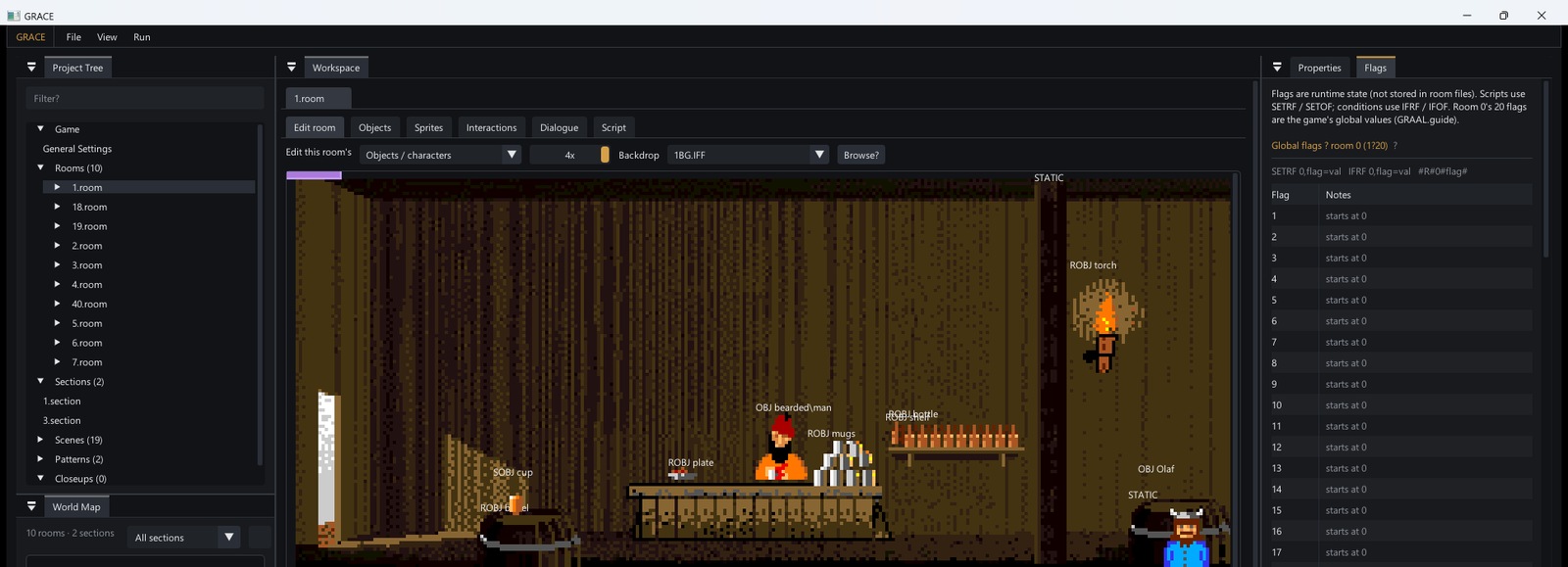
1.room — backdrop, objects, Project Tree, World Map, Flags (Olaf demo data).What it is
GRAAL is a language. GRACE is the modern engine for it.
From the original guide: GRAAL lets you create graphic adventures in a “classic” format — driver + script files + IFF/art + optional music. GRACE keeps that model, plays it on desktop (SDL2) and Amiga (ACE), and authors it in ImGui instead of the old Amiga editor alone.
Language
Statements, conditions, and commands from GRAAL 2.3 — documented in the adapted on-line reference.
Runtime
SDL2 on PC; real ACE on Amiga (68000/OCS and 68020/AGA). Classic verb bar by default.
Editor
Rooms, dialogue, actions, sprites, packing, Launch Game / Test Room — see the Editor page.
How a game is structured
main → section → room (from the GRAAL guide).
Adventures are folders of scripts and art. Put handling where it applies: one room → .room;
anywhere in a section → .section; anywhere in the game → graal.main.
On player input the engine scans room → section → main.
Full chapter: Structure of a GRAAL Game.
- Open a folder with
graal.mainingrace_editor(or rungraal.exe --data Folder). - Configure main — limits, character, verbs, UI, control/display modes.
- Author rooms on the canvas — floors, exits, objects, actions, dialogue.
- Test with Run → Launch Game / Test Room.
- Ship Amiga with Pack Paks + EXEs beside the data.
In the runtime
Same adventure data, playable.
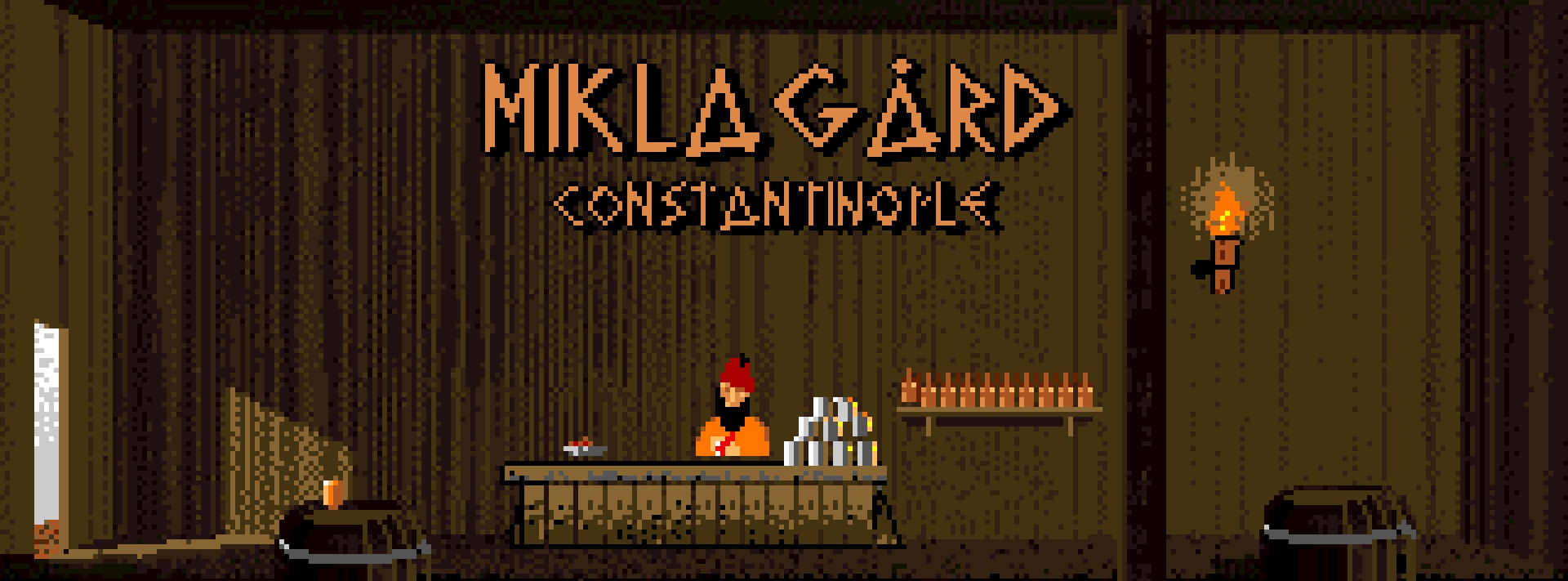
vs GRAAL 2.3
Compatible language. More platforms and tools.
| Area | GRAAL 2.3 | GRACE |
|---|---|---|
| Platforms | Amiga | Amiga (ACE) + Windows/desktop SDL2 |
| Authoring | Amiga GRAAL editor | grace_editor (ImGui) + guide tips |
| Display | 32 / EHB-64 | DISPLAY_MODE: 32 | EHB | AGA256 |
| Control UI | Classic verb bar | CLASSIC | VERBCOIN | CONTEXT |
| Reference | GRAAL.guide | Same guide in-editor + on this site |
Explore
Go deeper.
GRAAL Guide →
Structure, syntax, limits, interface keys, statements, conditions, commands.
Editor →
Docks, room canvas modes, document kinds, build & run from the editor.
Capabilities →
Control schemes, colour depth, packing, speech options, Amiga targets.